 SlideMarks
Presentation symbols that behave like text
Harvey balls, arrows, checks, ratings and trends for PowerPoint and Word tables. One consistent family of 122 symbols: type, paste, resize and recolor them like any character. Free and open source.
Video on Vimeo. Click sound: "Single click mouse" by ScouseMouseJB, CC BY 4.0.
Install
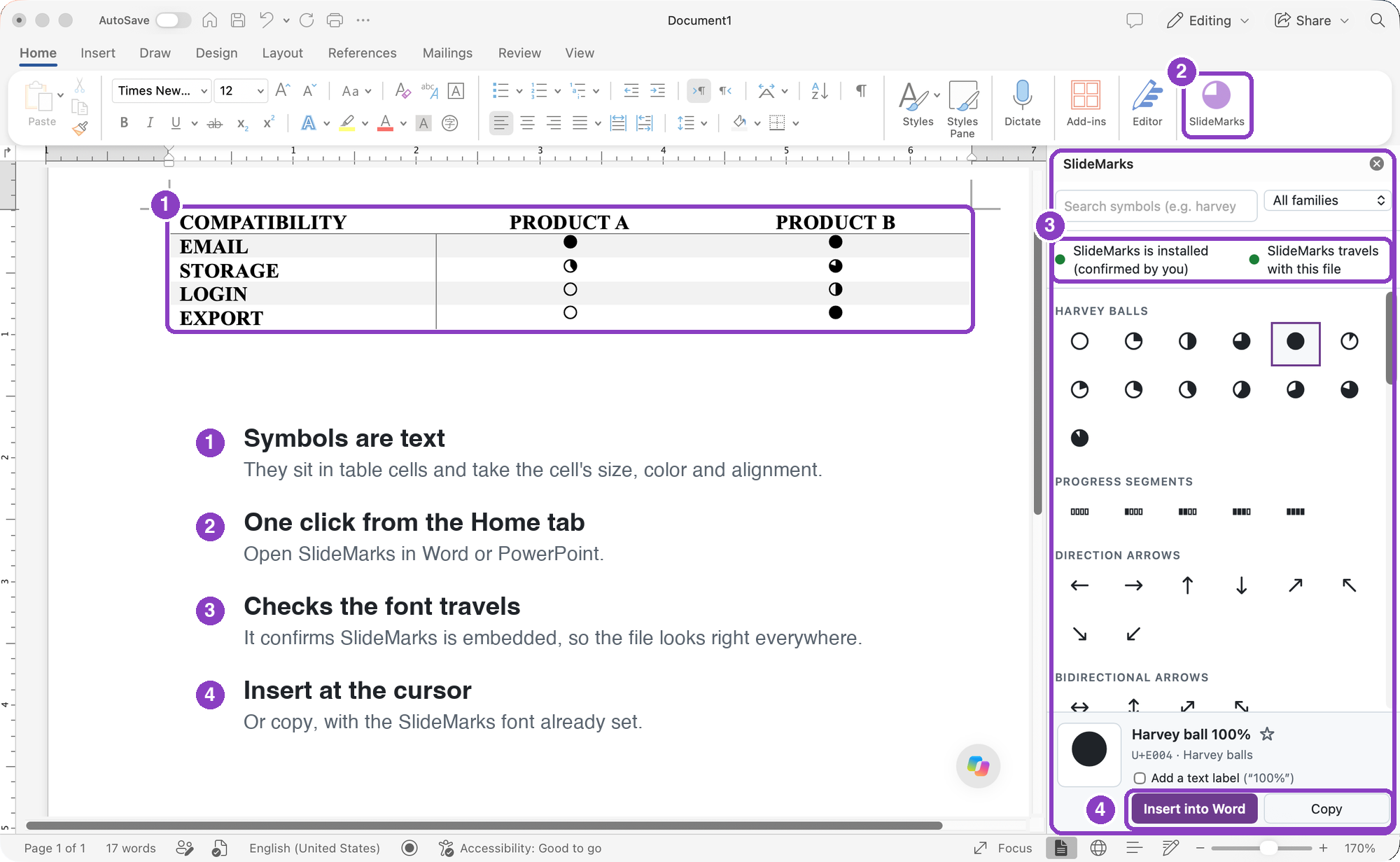
One step installs the font and adds SlideMarks to Word and PowerPoint. No administrator password needed.
Mac
Open SlideMarks.pkg and follow the steps. It's signed and notarized by Apple.
Or paste this into Terminal:
curl -fsSL https://pjaol.github.io/SlideMarks/install.sh | shWindows
Close Word and PowerPoint. Open PowerShell (Start menu, type PowerShell), paste this and press Enter:
irm https://pjaol.github.io/SlideMarks/install.ps1 | iexSee exactly what they do: read install.sh · install.ps1 on GitHub (the site's copies only fill in its address and the add-in ID). Uninstall, Office on the web, organizations and manual steps.
- Quit Word and PowerPoint and reopen them. Office only sees new fonts and add-ins when it starts (if symbols show as boxes, restart Office once more).
- Use it. On the Home tab, click Add-ins, then SlideMarks (where to find it). Search for a symbol and click Insert. Or use the web picker to copy symbols into any app with the SlideMarks font.
Sharing a file? Turn on Embed fonts in the file so recipients see your symbols without installing anything. The add-in walks you through it and checks that it worked.
The symbols
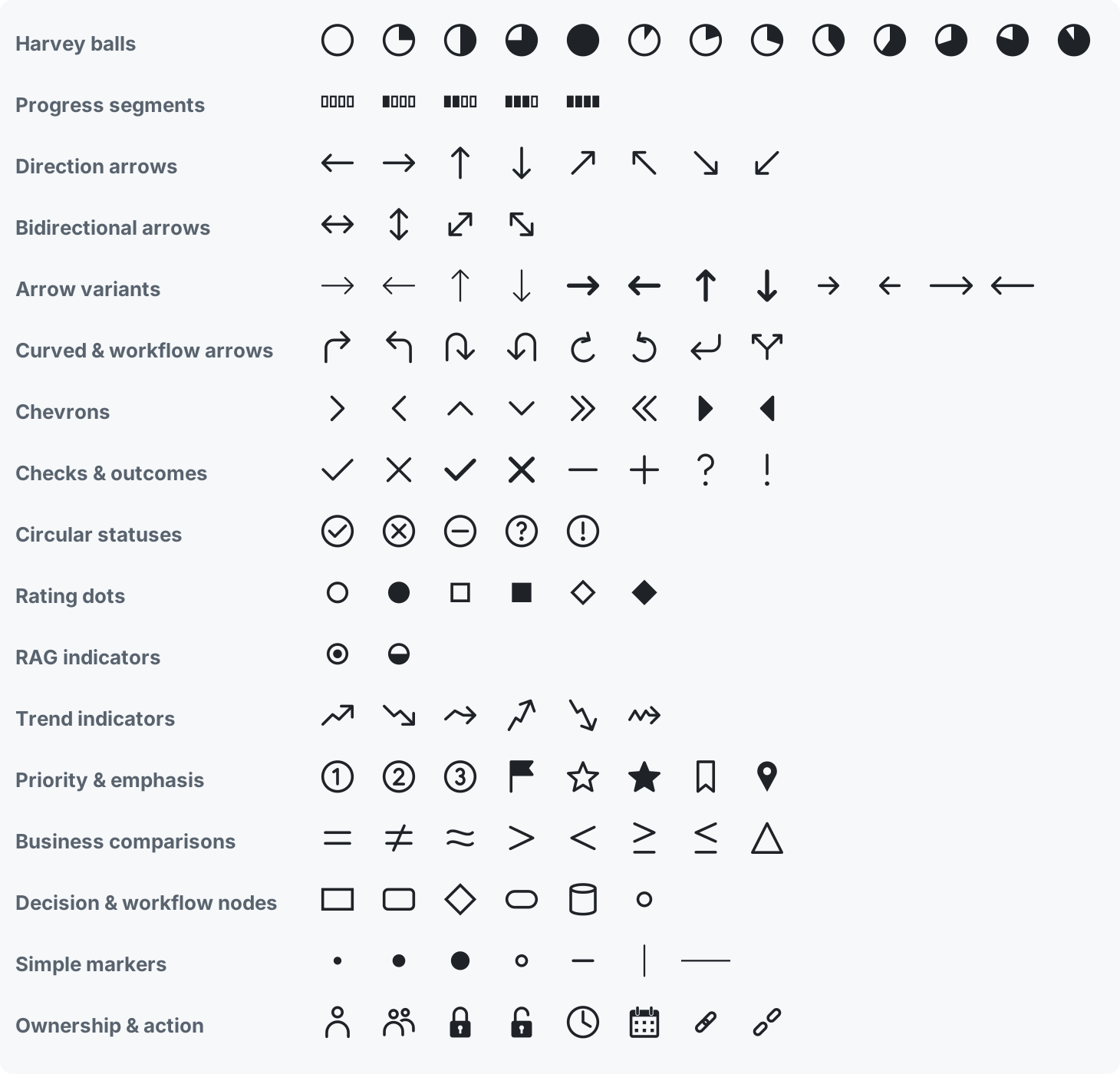
Every symbol with its code point is in the glyph reference.
Downloads
Everything (zip) Font only (.ttf) Checksums
The zip has the desktop font, web font and CSS, an SVG per glyph, the glyph reference, and optional screen-reader pronunciation packs.
Accessibility
Screen readers can't describe most symbols, so pair each symbol with text (the add-in can add a label for you). Arrows and comparison signs are inserted as standard characters so screen readers announce them. Pronunciation packs for VoiceOver, NVDA and JAWS are in the zip. Accessibility guide.